Florist – An Elementor template for florists
Last Updated On
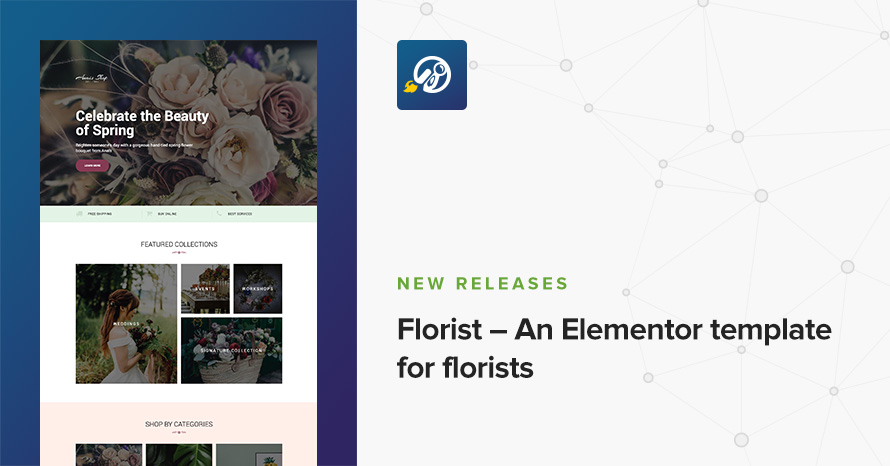
The Florist template for Elementor flourishes with beautiful colors and neat elements – a perfect flower boutique and decoration shop.
Learn about our latest WordPress releases, updates and more
The Florist template for Elementor flourishes with beautiful colors and neat elements – a perfect flower boutique and decoration shop.
Just a little while ago, the team behind Elementor, one of the best page builders for WordPress out there, released version 2.0 of their amazing product. If you’ve been under a rock and you haven’t heard about Elementor, I think you should really try it out. There’s a free version available. With more than 28 widgets available you can build your pages visually without touching any code. Heck, we’ve been building Elementor landing pages for a while and we love it.
Listing templates are every WordPress theme’s bread and butter. Every type of content needs to be displayed somehow and listing templates are the norm when it comes to showcasing content that falls within the same family, i.e. posts, pages, products, or any kind of other custom post types. We use them extensively here at CSSIgniter with a lot of options like headings, animations, post meta visibility, and more. Our main and most wanted option though is the column number setting, i.e. choosing in how many columns to split the cards each post is contained within.
Have you ever tried setting up a multilingual WordPress site? If you did, you’ll know it’s no easy feat. You need to translate WordPress-provided strings (okay, these are mostly already translated by the time a new version is released), theme strings, plugins strings. You’d do that with a tool such as Poedit or a WordPress plugin such a Loco Translate (let’s call them “translation plugins”). But then there’s also the dynamic strings, a.k.a. the content. All those words you write yourself through WordPress. Posts, pages, custom fields, widgets, etc. These need a separate kind of WordPress plugin (let’s call them “multilingual plugins”), able to extract them, translate them, and show the appropriate translations depending on the user’s choice of language.
Gutenberg itself already exposes a lot of components ready to be re-used in our custom blocks. Most of these are located in wp.components and wp.blocks, and they include helpful building blocks for every Gutenberg block: Text Controls, Toggles, Tooltips, Icon Buttons, Tabs, and many many others. Gutenberg’s native component library pretty much has us covered on all basic cases, on every kind of basic UI control we might need but still there are cases where we might need to take it a step further on some kind of more specialized custom block.
As theme authors we’re always striving to give our themes a unique design and marry them to the WordPress ecosystem by trying to provide a unified user experience, to the best possible extent. As WordPress comes with its own widgets, shortcodes, and other components, it’s important for any theme to take them into consideration and style them accordingly to its look and feel.
Most of WordPress’s native components (i.e. widgets or shortcodes) do not come with their own predefined styles (i.e. the Gallery shortcode), but other ones (especially JavaScript based ones) do so (i.e. the Audio player). In this post we’ll see how we can visually customize the default WordPress media player and make it feel at home on our theme.
I can’t stop praising WordPress when it comes to the conveniences it provides. While the approach it takes on things might not suit everyone, every time, for the most part its solutions to common issues are good enough. Once such example is images, and the creation of custom sizes from the originally uploaded one.

A new era for WordPress is coming with Project Gutenberg and we thought it’s a good time for a retrospective, how we started, what are we doing now, and what are our plans for the future. Read on to find out!

Another great freebie generously provided by our friends over at freepik.com & flaticon.com
This time the set consists of 50 icons! In the zip file you will find SVG and PNG versions for all 50 icons ready to be used in any personal or commercial project! (Make sure to credit the original author, that’s not much to ask I guess). Enjoy!
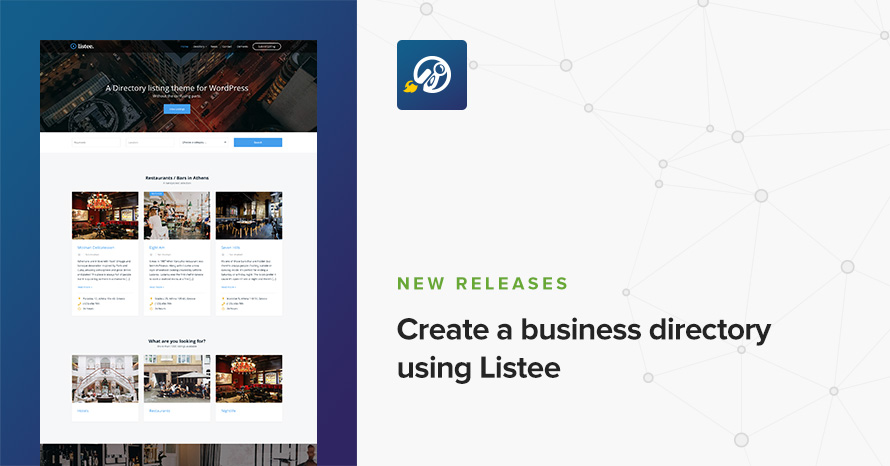
A few days ago we released our first premium business directory theme for WordPress. Listee is an one-stop-theme perfect for any kind of online business directories and listings.
24/7 Support Included. Join 115,000+ satisfied customers.
Pricing & Sign Up30-day money-back guarantee. Not satisfied? Your money back, no questions asked.