Use the coupon code WORDPRESS30 and save 30% OFF! Buy Now

Our Blog

Learn about our latest WordPress releases, updates and more

Keyboard shortcuts for WordPress content editors

Last Updated On
Keyboard shortcuts for WordPress content editors WordPress template

Keyboard shortcuts, as their name suggests, are a great way of streamlining your work process when dealing with computers. WordPress comes with its own set of shortcuts to help content publishers be faster when writing, or editing content.

Useful shortcuts for the text editor

Most of you are familiar with the text editor toolbar sitting right there, above the text entry box. The toolbar hosts a number of very useful text formatting options like changing font weight, text alignment and more, you’ve seen them and most likely clicked them, right? Well, if you want to become quicker you don’t have to, just utilize the shortcuts listed below and you’re on your way to more efficient publishing.
Read More
Using the WordPress transients API

Last Updated On
Using the WordPress transients API WordPress template

Your website’s speed matters a lot, because when your site is slow, your visitors will quickly go away and look for a competitors site that doesn’t waste their time. But computers are fast. Very fast. Yet, there are operations that are computationally intensive, network latency that increases access times, or complex database queries that can bring a even a powerful server to its knees. In such cases, a level of caching should be implemented where possible, so that a stored, pre-computed result is served to your visitors. When will this cache get refreshed is a matter of use-case, but as a general rule of thumb, it should be updated as rarely as possible.

Read More

How to create a custom color scheme for your WordPress theme using the customizer

Last Updated On
How to create a custom color scheme for your WordPress theme using the customizer WordPress template

Ever since WordPress version 3.4 it’s been extremely simple to add site settings to our websites with the Theme Customization API. Here at CSSIgniter it’s actually been a couple of years now where we’ve completely abandoned custom Theme Options pages in lieu of the Customizer, since the benefits are too many to pass: ease of use, consistent API, native look and feel, and live previews to name a few.

Read More

Quick interview with Ana & Marko – Anariel Design

Last Updated On
Quick interview with Ana & Marko – Anariel Design WordPress template

Hi could you tell us a little about yourself and background?

Ana: Hi, thanks a lot for inviting us for the interview, it is a pleasure. Before we started with Anariel Design I had just finished Civil Engineering studies and moved to Germany. As I couldn’t find myself in Civil Engineering and wasn’t happy with the studies I finally decided to try something for myself, something I always wanted but didn’t have the opportunity to try, web design. Having Marko’s enormous support (I couldn’t manage this without him) I started to learn to HTML and CSS and then building WordPress themes.

Marko: Hi there, thank you for inviting us to do the interview. To put it short, in my case it is a typical story of a musician that discovered WordPress :). I don’t know if you noticed that connection, but I met so many people in the WordPress community that are or were musicians. It looks like a pattern :). Before that, I studied management, but didn’t find myself in it and wanted to try to make a living being a musician. So I quit the study just a few exams before the end and moved to Germany. Thirteen years later I’m still in Germany, but music is more like a hobby these days and WordPress themes are my main source of income. Let’s see what the future brings.

Read More

Fine tune user permissions in WordPress with the Members plugin

Last Updated On
Fine tune user permissions in WordPress with the Members plugin WordPress template

We have previously discussed how WordPress handles what a user can and can’t do, you can read all about it here. In short WordPress categorizes the users in six roles and assigns to each one a selection from the 60 default capabilities, each capability allows for a certain action and, naturally, the more capabilities a user has, the more they can do on the site.

Today we’re going to take a look at yet another plugin that can help you fiddle with the default capabilities assigned to each role, or even create new roles for your site.

Read More

How to make your own WordPress dashboard widget

Last Updated On
How to make your own WordPress dashboard widget WordPress template

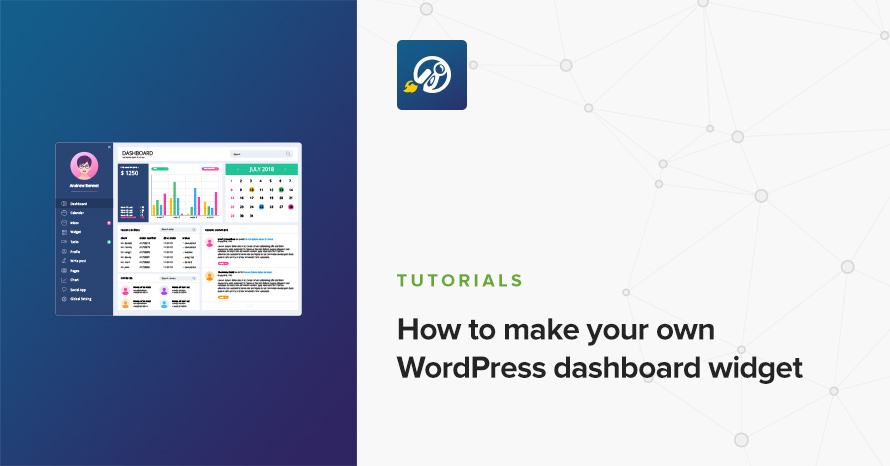
Do you build a plugin and want to easily display some general information? Or perhaps you are building a theme and want your customers to keep up with your blog? If you don’t want to build a dedicated settings page, then a simple (or complex, your call) widget on the WordPress dashboard should be enough. It’s very easy and very fast, too!

Read More

Modify image sizes using Simple Image Sizes

Last Updated On
Modify image sizes using Simple Image Sizes WordPress template

WordPress comes with a few preset image sizes for images to be cropped to, the thumbnail, the medium and the large ones. Of course these basic image sizes are not enough for themes, so their developers tend to add many more custom image sizes to better creates the desired layouts on their themes. What if you need more image sizes than the ones that come with your theme? Luckily there is a plugin for that.

Read More

How to add a new navigation menu to your WordPress site

Last Updated On
How to add a new navigation menu to your WordPress site WordPress template

Do you need to show an extra navigation menu on your WordPress site? Or perhaps you need to show a bunch of links someplace? No matter your use-case, WordPress provides navigation menus that are very easy to create, manage and display. If you like the drag and drop interface of the navigation menus management screen, and you  so you figured you’ll create a menu to show them.

However, you neither want to show them in the sidebar (“Custom Menu” widget), nor in the content (“menu shortcode” plugin), and your theme doesn’t quite allow you to display it exactly where you want. What do you do? You need to register a new menu location. Let’s see how.

Read More

Add custom fields to your WooCommerce checkout page

Last Updated On
Add custom fields to your WooCommerce checkout page WordPress template

The WooCommerce checkout page comes with most of the required fields to allow you to get all the required information in order to dispatch an order to a client. What if something is missing? You might need a couple of extra fields, a checkbox, a drop-down or another text input field, how can you get them? You can always add new fields programmatically as described in WooCommerce’s documentation here, but there is an easier way by using a plugin.

Read More

Get access to all WordPress themes & plugins

24/7 Support Included. Join 115,000+ satisfied customers.

Pricing & Sign Up

30-day money-back guarantee. Not satisfied? Your money back, no questions asked.

Back to top